Introduction
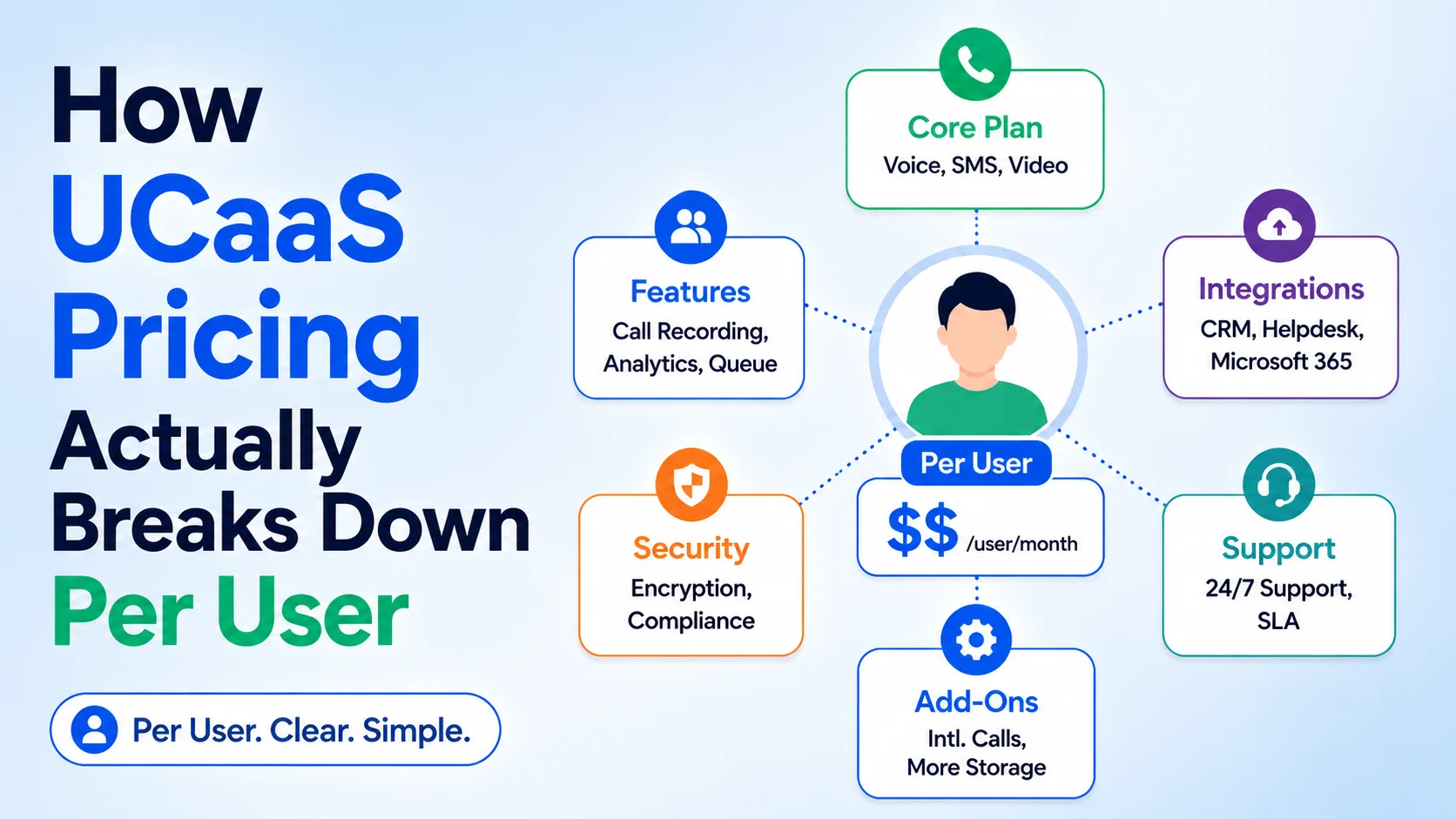
Every UCaaS pricing page shows one clean number — $15 per user, $25 per user — and that number is almost never what shows up on the actual invoice three months in. The gap comes from what the headline price doesn't include: which features are bundled at that tier versus sold separately, what happens to the rate once you add AI or contact center capability, and the setup, porting, and overage charges that live outside the per-user line entirely.
This guide breaks down how UCaaS pricing is actually structured — the tier logic vendors use, what typically gets held back as an upsell, the fees that don't show up on the pricing page, and how to work out a realistic per-user cost for your team before you sign anything.
Why the Advertised Price Rarely Matches the Invoice
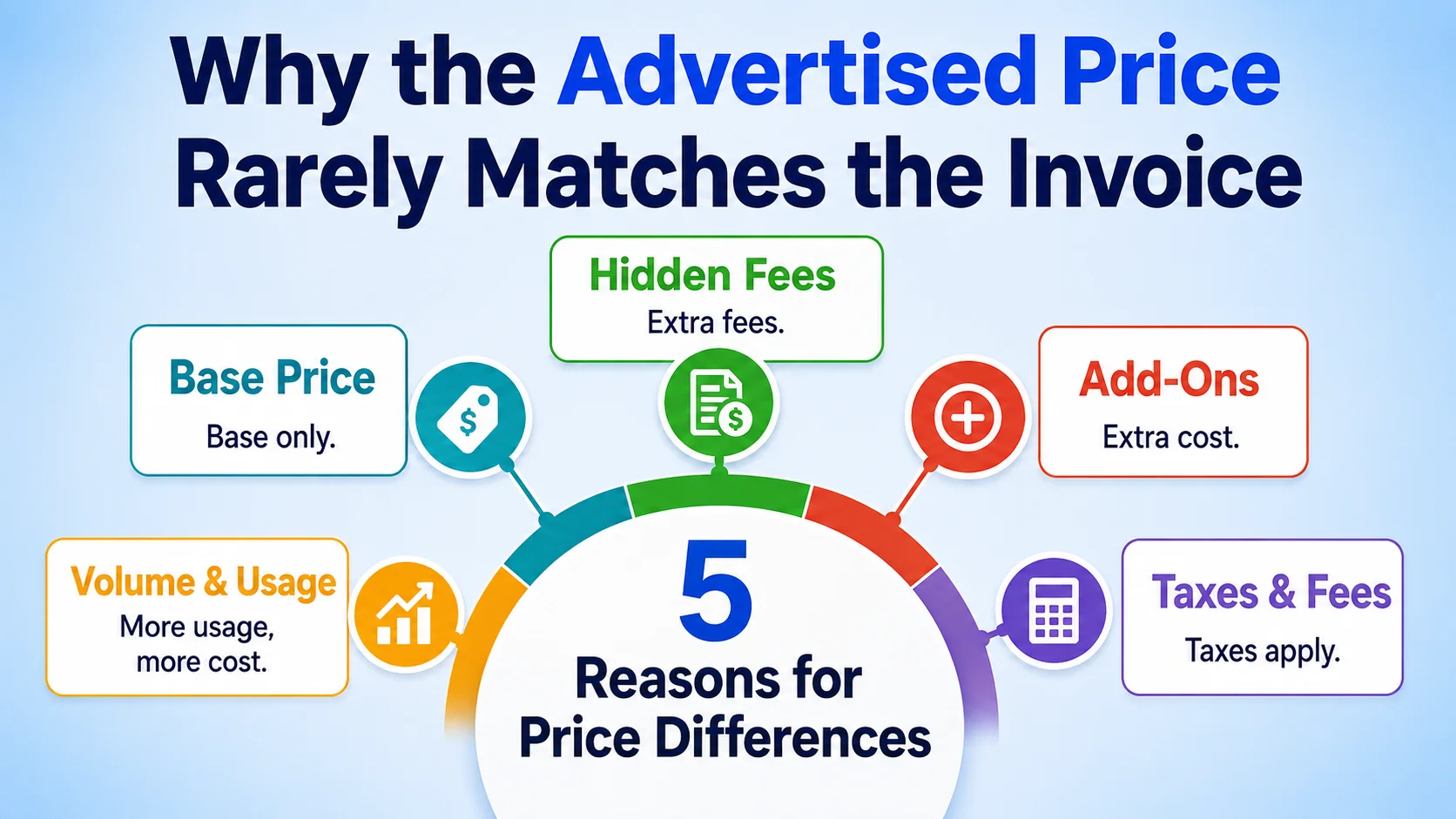
A UCaaS pricing page shows the number for one specific configuration — usually the lowest tier, billed annually, with a minimum seat count — and that configuration is rarely what a real team ends up buying. The moment a business needs AI features, contact center capability, more than a handful of integrations, or has a seat count that doesn't match the pricing page's assumed range, the effective per-user cost moves, sometimes substantially.
This isn't necessarily deceptive — pricing pages have to lead with a number, and a fully-loaded configuration doesn't compress into one headline figure. The practical response is understanding the mechanics well enough to price your own actual configuration accurately, rather than assuming the homepage number is the number.
How UCaaS Pricing Tiers Are Actually Structured
Most UCaaS vendors use a three-or-four-tier structure, and understanding what typically changes between tiers helps predict where your real cost will land.
- Entry tier — core cloud voice, basic messaging, and video, usually the number featured most prominently in marketing; AI and advanced routing are frequently excluded
- Mid tier — adds omnichannel messaging, more integrations, and often a first layer of AI features (transcription, basic call analytics)
- Top or Enterprise tier — full AI suite, contact center capability, advanced compliance and security controls, and typically the tier where per-user pricing stops being publicly listed at all
- Custom/negotiated — for larger seat counts, pricing moves to a sales conversation with volume discounts and custom contract terms replacing the published rate entirely
Entry-level UCaaS pricing commonly lands somewhere in the $9 to $25 per user per month range depending on the vendor and what's included at that tier — but that range alone tells you little without knowing what each vendor bundles into it versus sells separately.
Further reading: best UCaaS providers compared
What's Bundled vs. Sold as an Add-On
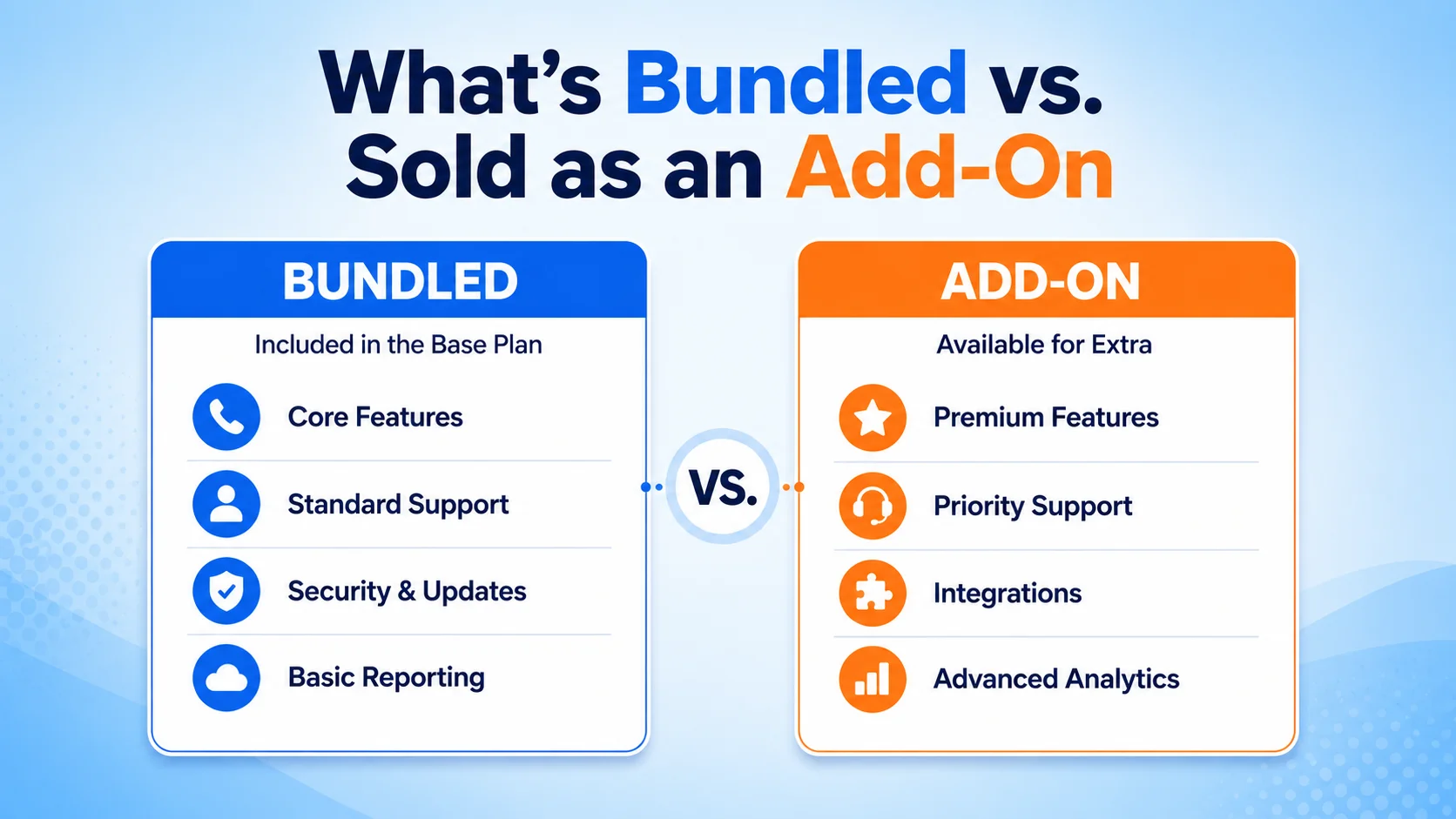
This is where the real pricing differences between vendors show up, and it's also where headline comparisons mislead the most. Two platforms quoting the same per-user number can deliver very different actual capability once add-on costs are factored in.
- AI features — call transcription, sentiment analysis, and AI-assisted routing are included standard on some platforms and sold as a separate per-user or usage-based add-on on others
- Contact center capability — omnichannel queues, supervisor tools, and outbound dialing are frequently a completely separate product (and separate bill) rather than a feature unlocked within the same plan
- CRM and helpdesk integrations — native integrations with common tools like HubSpot, Zoho, or Pipedrive are sometimes included and sometimes gated behind a higher tier or a per-integration fee
- Advanced analytics and reporting — deeper interaction analytics beyond basic call logs often live at the top tier or as a standalone add-on module
Requesting a full feature-by-feature breakdown of what's included at the quoted tier — not just a features list, but which specific items require an upgrade or add-on purchase — turns an apples-to-oranges vendor comparison into something actually comparable.
Hidden Costs That Don't Show Up in the Per-User Number
Beyond tier and add-on structure, several cost categories exist entirely outside the advertised per-user price and only surface once you're already a customer.
- Setup and onboarding fees — some vendors charge a one-time implementation or migration fee, particularly for larger deployments requiring number porting or custom configuration
- Number porting and DID fees — moving existing numbers in, or acquiring new local and toll-free numbers, sometimes carries a per-number charge separate from the per-user subscription
- Usage overages — minutes, SMS, or API calls beyond a plan's included allowance typically bill at a per-unit rate that doesn't appear anywhere in the base per-user price
- Support tier upcharges — priority support, dedicated account management, or guaranteed response-time SLAs are frequently a paid upgrade rather than something every tier includes equally
None of these costs are unusual or improper — they're standard in SaaS pricing generally — but they compound, and a business that budgets only against the headline per-user number tends to be surprised by a materially higher first invoice.
Further reading: Wikipedia: Total Cost of Ownership
Month-to-Month vs. Annual Contracts
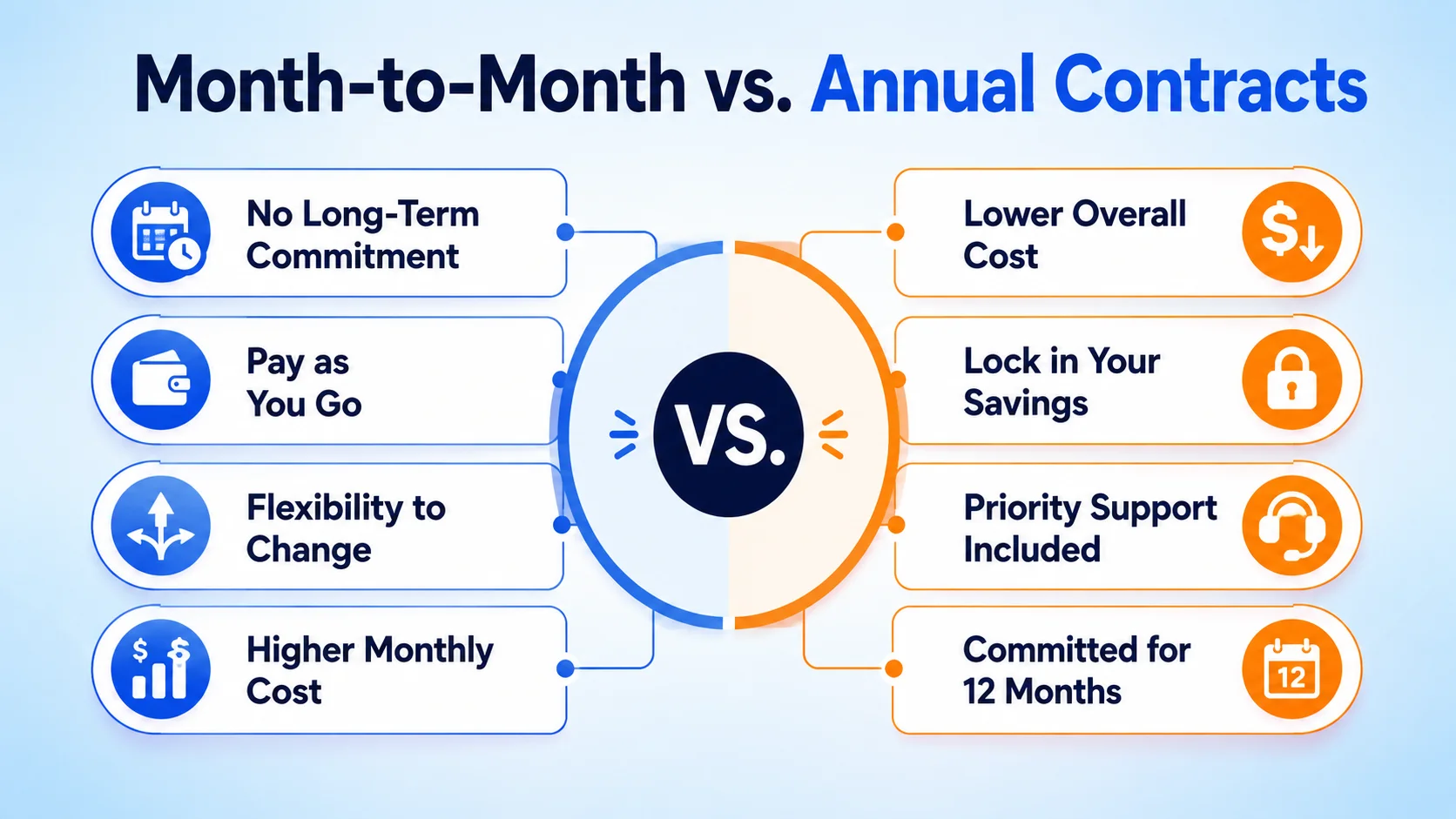
Contract length is one of the more predictable levers in UCaaS pricing. Annual commitments typically carry a meaningful discount over month-to-month billing — commonly in the range of 15% to 25% lower per-user pricing — in exchange for the vendor locking in revenue and the customer accepting less flexibility to switch or scale down.
The tradeoff is worth modeling explicitly rather than defaulting to annual for the discount: a team with real uncertainty about headcount, or one still evaluating whether a platform is the right long-term fit, may find the flexibility of month-to-month worth more than the percentage saved, especially in the first several months of a new deployment.
Calculating a Realistic Per-User Cost for Your Team
The only number that actually matters is the one built from your specific configuration, not the pricing page's headline figure. Start with the base tier price for the features your team genuinely needs — not the cheapest tier if it excludes something you'll need on day one. Add any required add-ons (AI, contact center, specific integrations) at their actual quoted cost rather than assuming they're bundled. Layer in one-time setup and porting fees amortized across a reasonable time horizon, and add a realistic estimate of usage overage based on your actual call and message volume, not the plan's included minimum.
This full calculation, done once before signing, is what separates a business that budgets accurately from one that discovers its real UCaaS cost three invoices into the contract.
Further reading: top UCaaS features for business
Conclusion
UCaaS pricing isn't opaque so much as it's incomplete by design — a single per-user number can't represent every possible configuration, so vendors lead with the simplest one and leave the rest to be discovered during the sales conversation or, worse, on the first invoice. Understanding the tier logic, knowing which features commonly hide behind an add-on, and pricing your actual configuration — including setup fees, overages, and the real contract-length tradeoff — turns that discovery process into a calculation you can do yourself before signing anything.